Campaign idea
Speaker Session Recaps
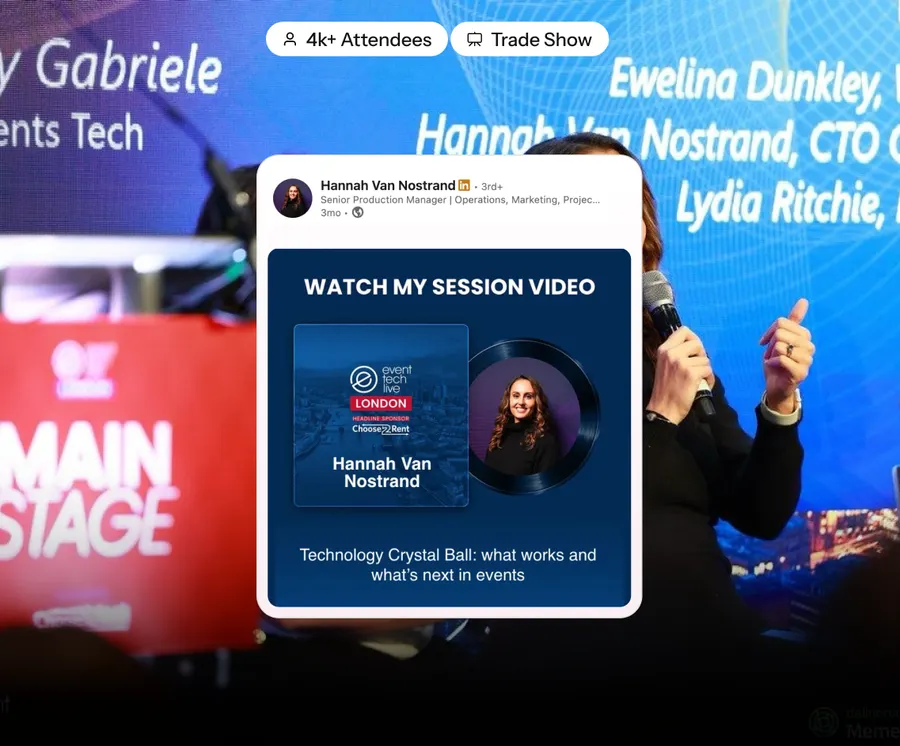
A poster per speaker with their best line and a link to the recording. They post it; you get reach for months.
What it is
Speakers are at their most willing to post about your event in the 48 hours after they have spoken. They came off stage, it went well, and they want to say so. Almost every event lets that window close unused.
The recap poster catches it: their photo from the actual session, a strong line from their talk, your branding, and a link to the recording.
- When to run it
- After the event
- Who does the sharing
- Speakers
- What it's for
- Content library, Brand reach
- Effort
- Medium effort
Timing: Within 24 hours of each session. The whole roster within 48.
Why it works
- You are asking at the moment of peak willingness, which is why the response rate is so much higher than for pre-event asks.
- It gives the speaker a genuinely useful asset - proof of the talk, in their own feed.
- The recording link keeps earning views and registrations for the next edition long after the room emptied.
- It is the natural start of next year's speaker recruitment.
How to run it
- 1
Pull the quote while the session runs
From the transcript or a note-taker. Waiting until next week means the window is gone.
- 2
Use a real photo from their session
Mid-gesture, audience visible. It is dramatically better than a headshot on a coloured block.
- 3
Send it within 24 hours
Same day is better. This is the single biggest lever on the response rate.
- 4
Include the recording link
Their audience gets something to watch, and you get a tracked click.
- 5
Follow with the audience numbers
'420 people in the room, 89% rated it 4+'. Speakers post that too, and it is how you get them back.
Set it up in Premagic
The steps above are the campaign. These are the clicks.
- 1
Gather the speaker list and session links
Names and recording URLs. Have both ready before the event so nothing waits on admin afterwards.
- 2
Design the poster template
Room for a session photo, a pull quote and a link. Built once, filled per speaker.
- 3
Upload to the event dashboard
Speaker data and session data together, so each poster assembles itself.
- 4
Review and approve
A quick pass on quotes and crops. This is the only manual step and it should take minutes, not days.
- 5
Distribute to each speaker
Within 24 hours of their session, while they still want to talk about it.
- 6
Speakers share, views grow
Each post sends their audience to the recording, which keeps earning views for months.
- 7
Track performance
Share rate, recording views per speaker link, and who is worth inviting back.
Best fit for
- Conferences that record or stream their sessions
- Events with a speaker roster worth keeping warm for next year
- Organisers building a content library between editions
- Events where the sessions themselves are the product
- Any event that wants reach after the room has emptied
What you need
- Session photos, delivered fast
- Quotes or a transcript
- Recording links and per-speaker tracking
What to measure
- Share rate against the pre-event announcement
- Recording views from speaker links
- Speakers agreeing to return
Go deeper: The 10-Week Content Engine in the Event Advocacy Playbook.
Or read the original write-up on the Premagic blog.
Campaigns that pair with this one
 Before
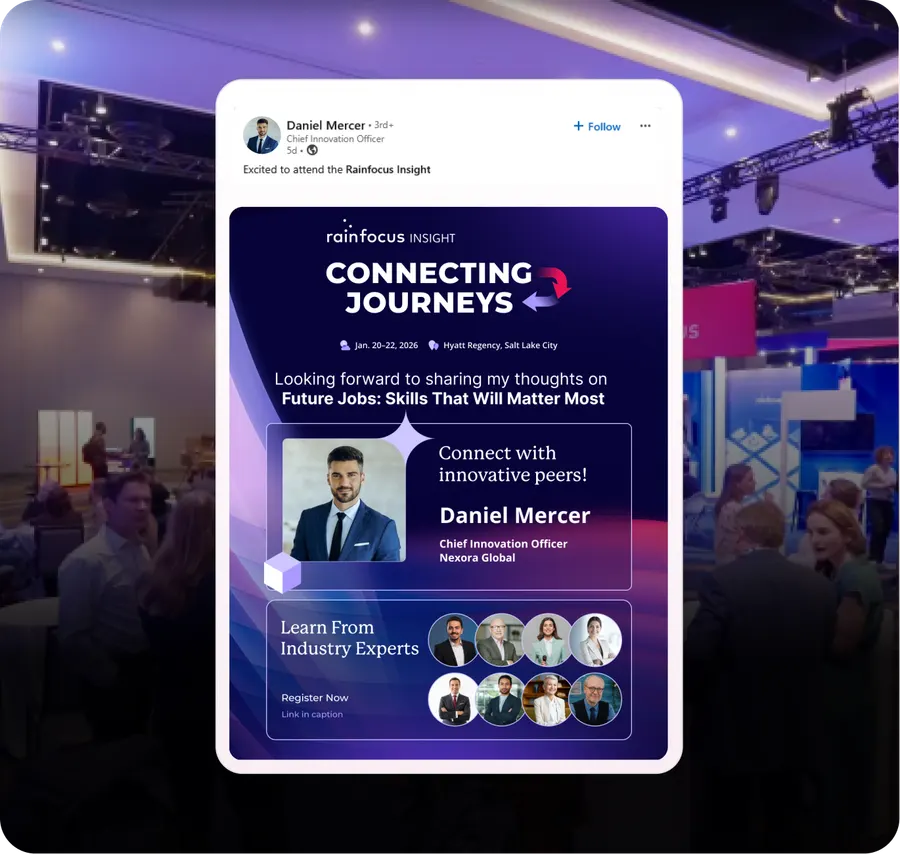
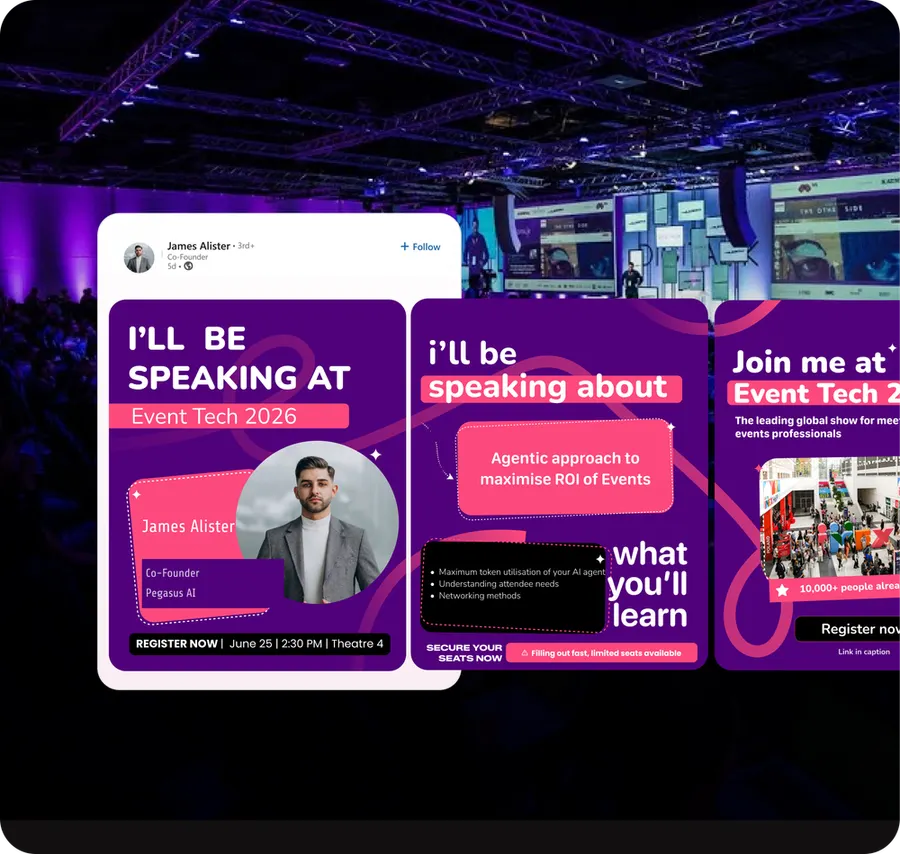
Speaker Announcement Posters
Every speaker gets a personalised "I'm speaking" poster and a one-tap share. Their followers are your warmest audience.
 After
AfterThe LinkedIn Carousel
A multi-slide personalised recap. The format LinkedIn still rewards, built per person.
The Post-Event Afterburn
The two weeks after the event are the cheapest registrations you will ever get for the next one.
We'll build the campaign with you
Premagic runs the assets, the tracking and the nudges - so the campaign actually ships instead of sitting in a plan.